Deus XT for iPad and Apple PencilNo ink on the glassPressure, tilt and hover reach your computer$14.99, onceOne purchase, everything includedThe companion is freeDeus XT for iPad and Apple PencilNo ink on the glassPressure, tilt and hover reach your computer$14.99, onceOne purchase, everything includedThe companion is free
The iPad shows your Mac screen and you draw right on it, like a pen display. Included in Deus XT, in the same purchase.
IncludediPad + Mac
On this page
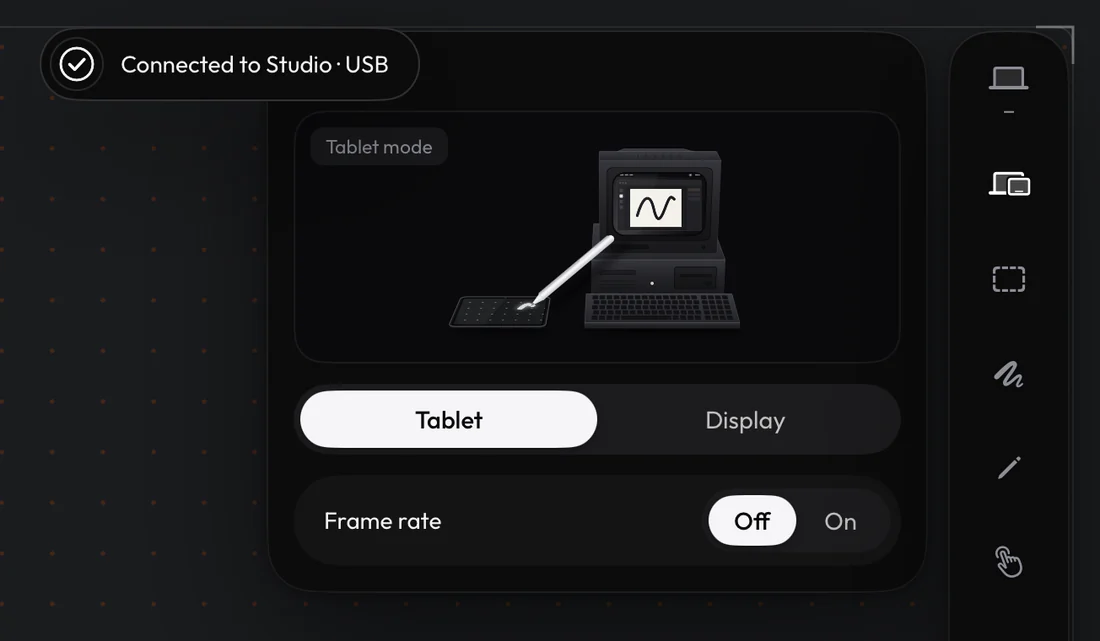
Tablet and Display
Tablet mode: the iPad is a blank drawing surface and you look at your Mac. Display mode: the iPad shows your Mac screen, mirrored or extended, with the same tablet features on top.
Tablet mode: the iPad is a blank drawing surface. Display mode: the iPad shows your Mac screen.
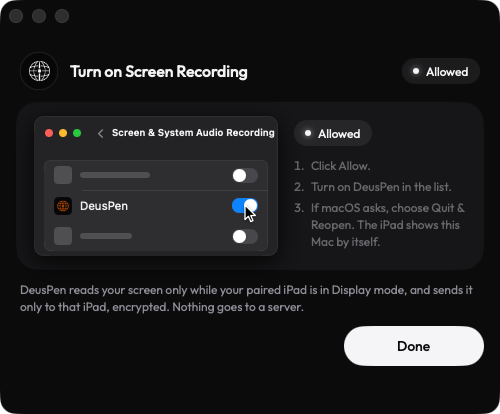
Screen Recording
Display mode needs Screen Recording on the Mac, asked the first time you use it. You can change it in System Settings › Privacy & Security. If you turn it off, Deus XT pauses Display mode and tells you what is missing.
Display mode needs Screen Recording on the Mac, asked the first time you use it.
In Display mode, the companion captures the display you choose and sends it to your iPad over the same local connection. It is never recorded, stored or uploaded.
Still stuck? Email support@deuspen.com with your iPad and computer models, the app you draw in, whether you were on the cable or Wi-Fi, and what you expected. The Diagnostics panel in the companion's Settings shows the connection state in words; tell us what it says.